What it can reach
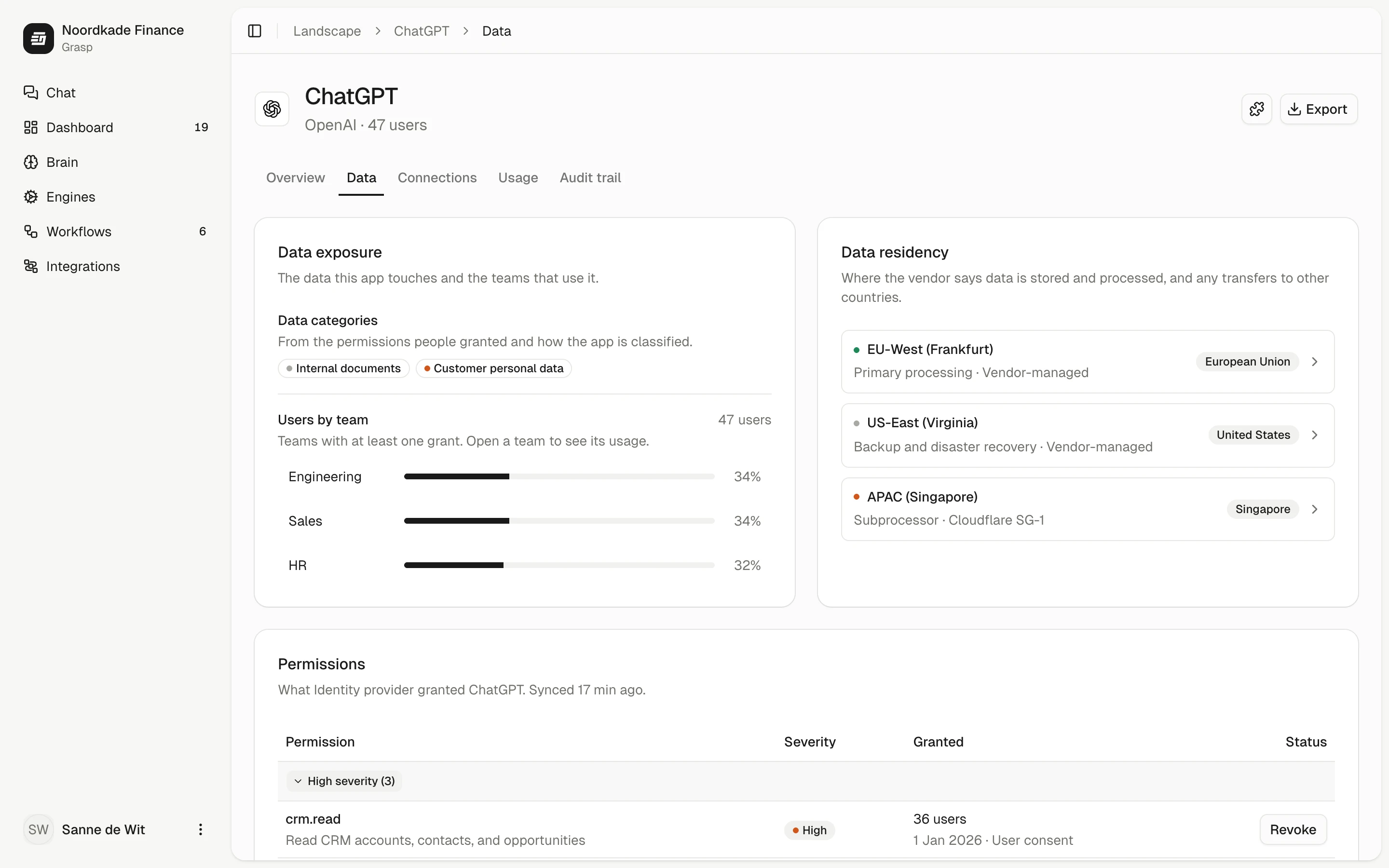
The data an app touches, where the vendor processes it, and what to do about it.

Every app and AI tool your teams use, who owns it and which data it can reach. Found through your Microsoft or Google sign-in and the interviews in the sprint, and on company laptops with Pulse, a small app that shows which AI tools are in use.
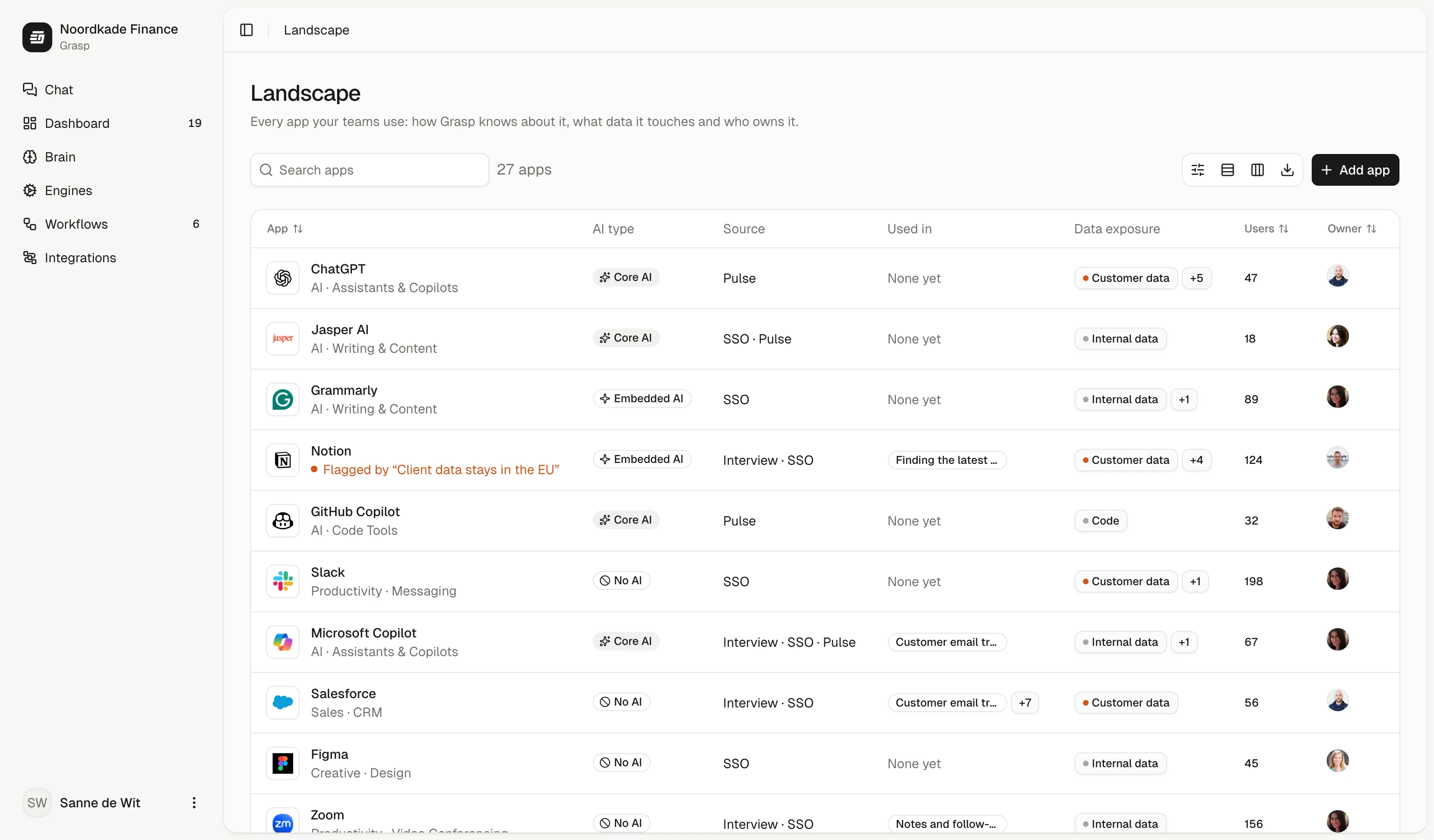
Each app shows how Grasp knows about it, so a tool someone mentioned is easy to tell from one in daily use.
Apps people reach with their Microsoft or Google account, found through the connection we set up in the first week.
Tools each team names when we map their work, tagged to the team and the work they come up in.
The apps, AI tools, MCP servers and skills actually in use. Pulse sees which tools are used, never what is in them.
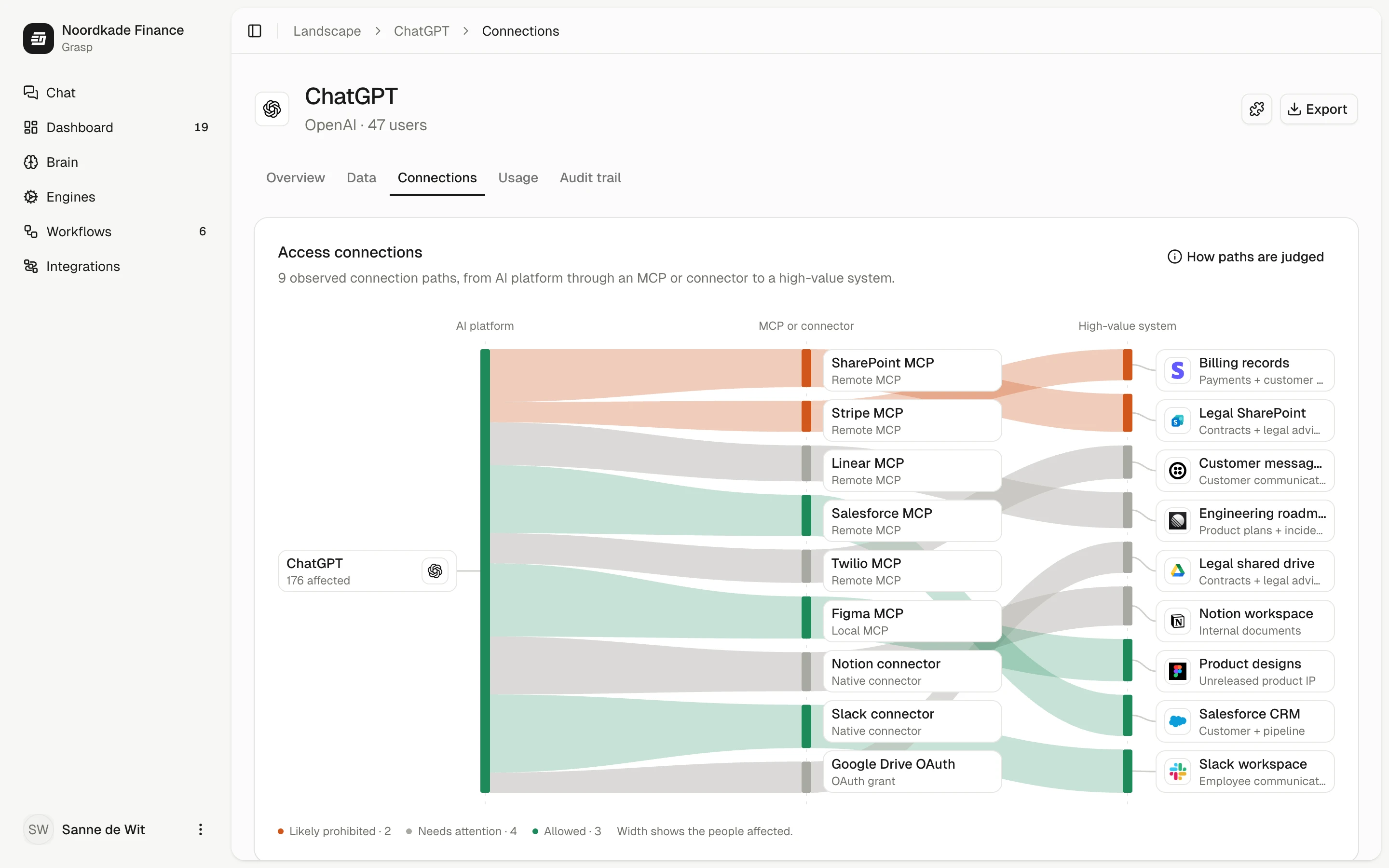
Which AI tools reach which company systems, through which MCP server or connector, and how many people each path affects. An MCP server is a link that lets an AI tool read or change another system.
Open any app to see what it can reach, who uses it and what happened. The detail per app comes with Grasp Govern.
The data an app touches, where the vendor processes it, and what to do about it.
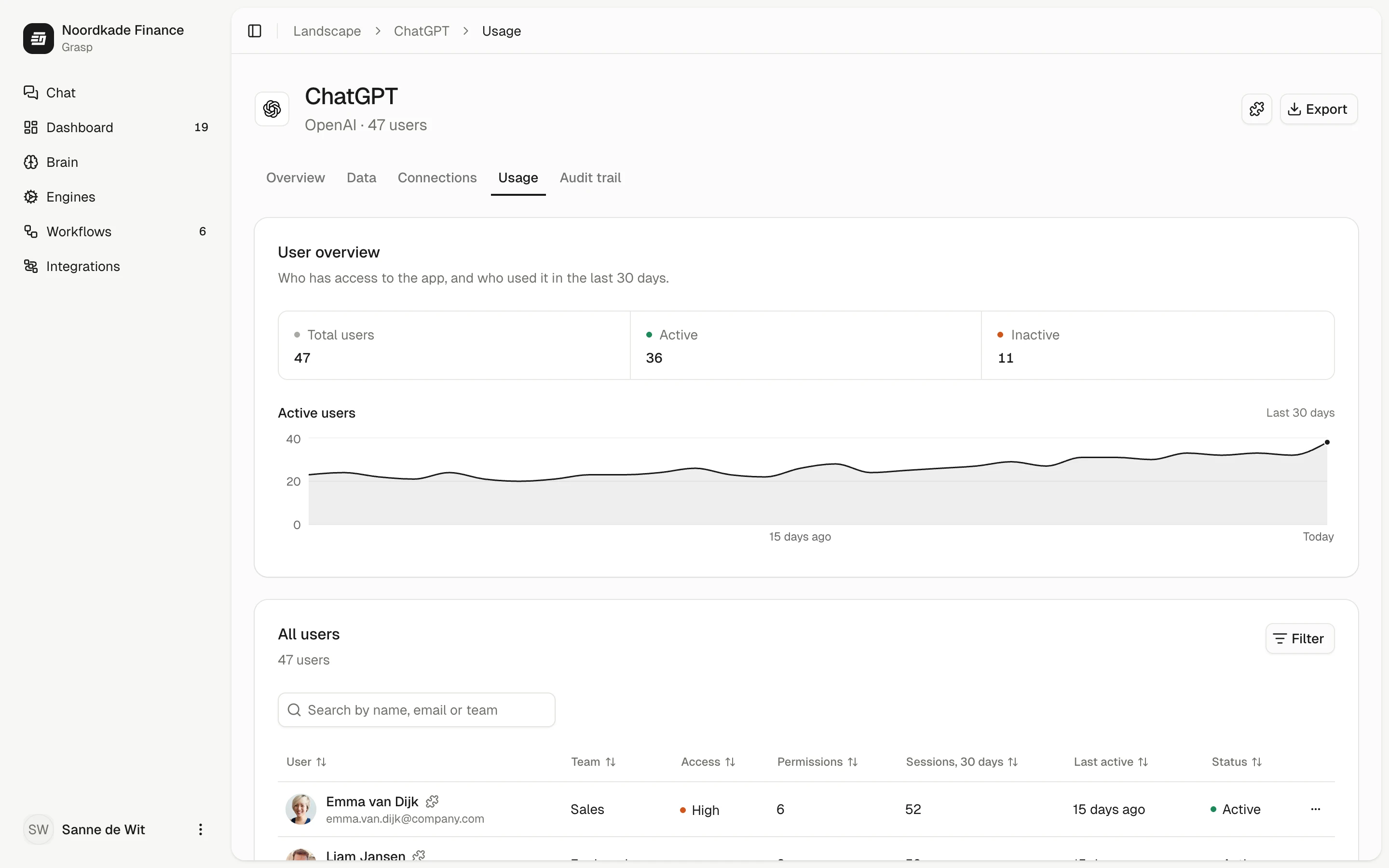
How many people have access, and how many used it in the last 30 days.
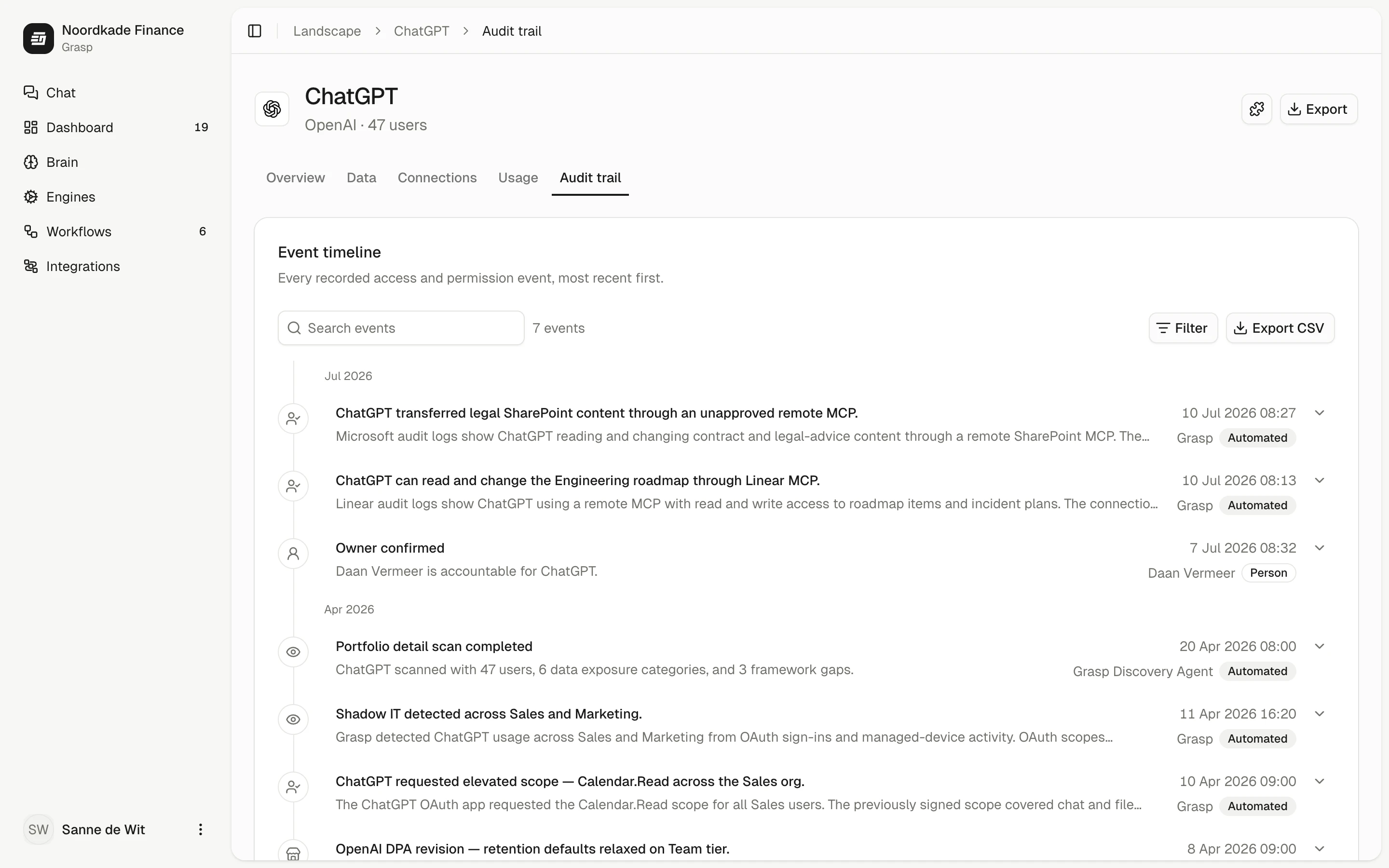
Every access and permission event, and every sign-off, newest first.
From your Microsoft or Google connection and the interviews in the sprint. With Grasp Govern, Pulse adds what is used on company laptops.
No. Pulse sees which apps and AI tools are used, never what is in them. Your IT team rolls it out and sets the hours it may report in.
The inventory of apps and AI tools with their owners is. Pulse, flagging and the detail per app come with Grasp Govern.
Yes, for tools people sign in to with their company account: Grasp removes that access through your identity provider, such as Microsoft Entra. Other tools are flagged, and people see your rule.